Getting a clear breakdown of your account with your dealers is the basis of collection tracking. In ARPRO, each dealer’s account posts automatically; you can get a statement in seconds and share it with the dealer. This guide explains how the statement is produced and read.
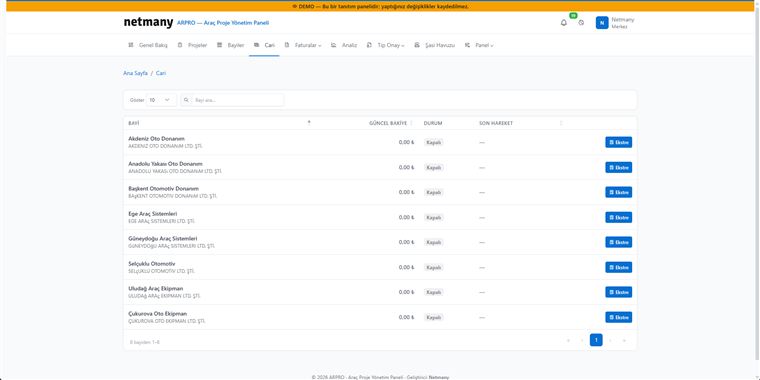
From the top menu, switch to the Accounts tab. You’ll see the dealer list; each row shows the dealer’s current balance, account status and last activity date. Find the dealer you’re looking for quickly from the search box at the top.

Click the Statement button on the relevant dealer’s row. Debit–credit movements are listed in date order; you see line by line how each invoice, collection and return is reflected in the account. The opening (carry-forward) balance, if any, appears at the top.
Share the statement with your dealer for periodic reconciliation. Because account movements are generated automatically from invoice and payment records, the risk of manual-entry error is minimised; the figures are always consistent with their source.
If you’d like to see the accounts and statement flow with your own dealer structure, let us set up a custom demo.